
Family historians spend years collecting records, photographs, oral histories, and documents that tell the story of their ancestors. But many overlook one critical step: backing up their genealogy data.
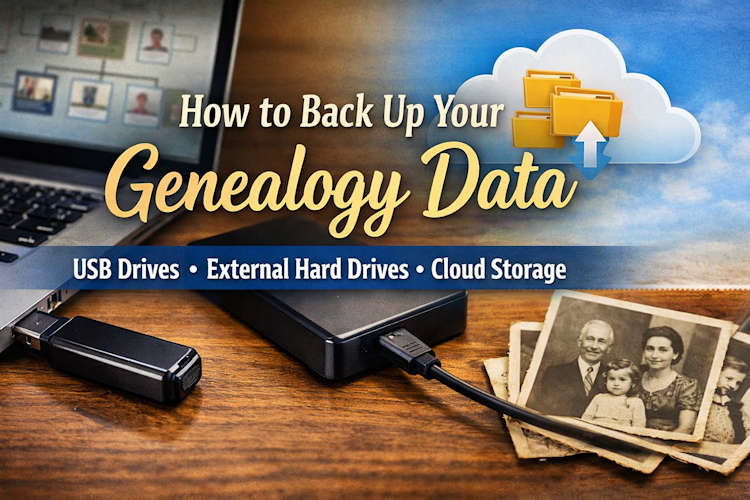
Losing your family tree database, scanned documents, or research notes to a computer crash, virus, or accidental deletion can erase decades of work. Fortunately, protecting your genealogy research is simple if you follow a three-layer backup strategy using a USB drive, an external hard drive, and a cloud service like Dropbox.
This guide explains how genealogists can safely back up their family history files and keep their research secure for future generations.
Why Backing Up Your Genealogy Data Is Essential
Genealogy research involves thousands of digital files, including:
- Family tree databases (GEDCOM files)
- Scanned birth, marriage, and death records
- Photographs of ancestors
- Research notes and timelines
- Downloaded census and church records
- DNA match data and reports
Because genealogists often store all of this information on a single computer, a hard drive failure could wipe out everything instantly.
A proper backup system ensures that your family history survives even if your computer does not.
Experts recommend following the 3–2–1 backup rule:
- 3 copies of your data
- 2 different storage types
- 1 copy stored off-site
Using a USB drive, external hard drive, and cloud storage accomplishes exactly this.
1. Use a USB Flash Drive for Quick Genealogy Backups

A USB flash drive is one of the simplest ways to back up genealogy files.
These small devices are inexpensive, portable, and easy to use.
What to Store on a USB Backup
Create a folder called Genealogy Backup and copy:
- Your genealogy software database
- GEDCOM exports
- Important scanned documents
- Family photographs
- Research notes
- DNA reports
How Often to Update
Update your USB backup every time you do major research, or at least once per week.
Best Practices
- Label the USB drive clearly (Example: Genealogy Backup)
- Store it in a safe place
- Replace it every few years to avoid hardware failure
While USB drives are convenient, they should not be your only backup.
The USb brand that I use and trust is ScanDisk, here you can see them and buy one on Amazon: https://amzn.to/4bi9AYL
2. Use an External Hard Drive for Complete Family History Archives

An external hard drive allows genealogists to store large collections of records and images.
This is especially useful if you have:
- Thousands of scanned documents
- High-resolution family photographs
- Large genealogy databases
- Entire archives of downloaded records
External drives typically hold 1–5 terabytes, which is enough for decades of genealogy research.
How to Use an External Hard Drive for Genealogy
- Connect the drive to your computer.
- Create a folder named Family History Archive.
- Copy your entire genealogy folder into the drive.
- Schedule a monthly or weekly backup.
Pro Tip for Genealogists
Create subfolders such as:
- Census Records
- Church Records
- Photographs
- DNA Results
- GEDCOM Files
- Research Notes
Organizing your backup the same way as your main genealogy folder makes recovery easier.
The brand that I use and trust is Seagate for external hard drives. You can view them and others here on Amazon: https://amzn.to/4ron6QC
3. Use Cloud Storage for Off-Site Protection

Cloud storage provides the most important layer of protection: an off-site backup.
If a fire, flood, or theft destroys your computer and physical drives, your genealogy files will still exist in the cloud.
Popular services include:
- Dropbox
- Google Drive
- Microsoft OneDrive
Why Cloud Backups Are Important for Genealogists
Cloud services automatically:
- Sync files
- Store previous versions
- Protect against accidental deletion
- Allow access from any computer
For example, if you store your genealogy folder inside Dropbox, every update you make will automatically be backed up online. I personally use Dropbox but I recomend that you try them all and see which one best owrks for you.
A Simple Backup Routine for Genealogists
To keep your family history safe, follow this simple routine:
After every research session
- Save files on your computer.
Once per week
- Copy files to your USB drive.
Once per month
- Back up your entire genealogy folder to an external hard drive.
Automatically
- Allow your cloud storage service to sync files continuously.
This strategy ensures your research exists in multiple safe locations.
What Genealogy Files Should Always Be Backed Up?
Make sure you regularly back up:
- GEDCOM files
- Genealogy software databases
- Scanned archival records
- Cemetery photos
- Family photographs
- Research logs
- DNA results
- Surname studies
- Local history notes
For family hisotrians, professional genealogists, and serious researchers, these files represent years of irreplaceable work.
Final Thoughts
Genealogy research preserves the stories of our ancestors. But without a proper backup system, that history can disappear in seconds.
By combining:
- A USB flash drive
- An external hard drive
- A cloud service like Dropbox
You can ensure that your family history research remains safe for generations to come.
Your ancestors’ stories deserve to be preserved—and a good backup system guarantees that they will be.